
 There is a plugin for that!” is becoming the blogging motto these days.
Want to track your visitors, where they come and go, what they eat and what their favorite color is? There is a plugin for that.
Want to kick spammers all the way from your blog to Timbuktu? There is a plugin for that.
Want your blog to clean and cook for you? There is a plugin for that.
(Too bad there is no plugin for finding the pot of gold at the end of the rainbow - any techies out there?)
So every time I hear about the “new and exciting” plugin that will solve all my blogging problems, naturally I get skeptical, as I am sure you do as well.
Unless I hear it from Brian Clark of Copyblogger.com.
So what’s new from Brian Clark? He just came out with a brand new version of his Scribe SEO plugin.
Will it solve the world hunger? Most likely not.
However, it does promise to have my back on the three crucial aspects of smart SEO:
- Keywords
- Content
- Links
Let’s check it out to see what all the ado is about.
Disclaimer: I’ve been using Scribe SEO for my business for a few months now. This is my first time checking out the newly redesigned plugin while it’s still in Beta. So it’s a sneak peak for both of us.
To see how the new plugin works, I decided to re-analyze one of my recently published articles Targeted Website Traffic As Taught by Google.
Let me show you what I was able to do to optimize it better.
1. Scribe SEO Keyword Research
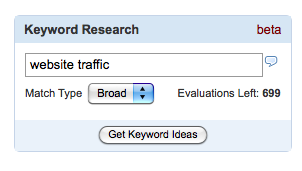
Apparently, if I need more keyword suggestions for my post, all I do is type my root keyword into the search box and Scribe SEO will spit out a form similar to this one:

Notice that it also provides the annual search volume.
Of course, this is not an in-depth keyword analysis by any means. I don’t think it’s supposed to be (you should use Market Samurai for that). Just gives you a quick picture of alternate keywords you can use for the post - I did find a couple of ideas for keywords for my post.
2. Scribe SEO Analysis Snapshot:
This is one of the core features of Scribe SEO - the one that made me fall in love with it to begin with. Here’s a quick glimpse at the kind of information you can get with it:
- Gives you the overall SEO score of your post: things like how well optimized it is for your keywords, are your title and description too long, do you have sufficient number of links.
- Keyword analysis: analyzes your current keywords and their SEO importance.
- Change keywords: gives you an idea of what you need to do if you are not happy with your current primary keywords.
- Alternate keywords: suggests a number of alternate related keywords.
- Tags: suggests tags for your post based on the content.
- SERP: shows you what your listing will look like on a search engine results page.
- SEO Best Practices: gives you all kinds of SEO tips.

(Click on the image to see it bigger.)
I made a cool video overview of Scribe SEO at work; you can find it in this post:
3. Scribe SEO Link Building
External link building tool finds authority websites and blogs which content directly relates to your Scribe-optimized content.
Here’s what so cool about: now I have a list of websites I can market my post to through trackbacks, comments, and possibly even guest posting. Since my content is directly related to theirs, the chances are their audience will want to check out my post as well.
Very clever.

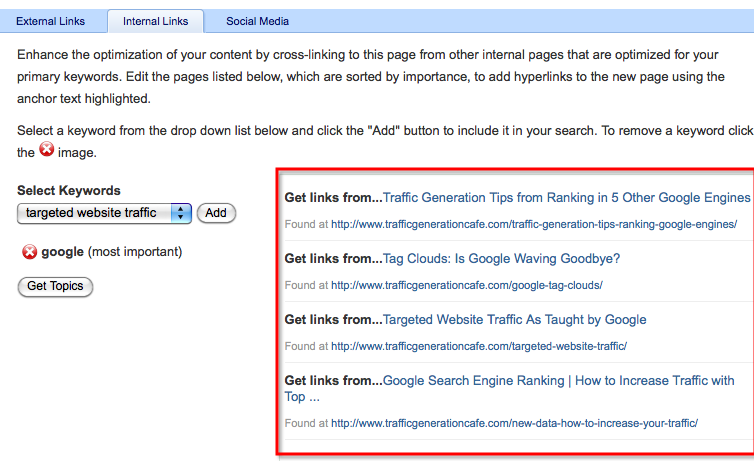
Internal link building tool helps identify pages within my blog that I should consider linking to my Scribe-optimized post. I can interlink my posts with keyword focused anchor text, thus helping providing my readers with more relevant content and search engine bots with strategic links.
Sounds like a win-win to me, especially considering it’s a bit time-consuming to do it by hand.
To learn more about deep linking your inner pages, read this post:
Social media link building tool finds authority Twitter users who are tweeting about the topics directly related to your primary keywords. Thus it pin-points the users you would benefit from being connected with.
It also “qualifies” those users with what they call a “Klout Score” - a rating of sorts to help you to focus on the best possible matches for you. (see the image below).
I would definitely agree that it’s imperative to develop strong relationships with relevant Twitter users who have the capability to spread your content to thousands of targeted followers.
Ahhh, the power of viral marketing!

4. Generate Content Analysis Report
So now that I am done with my analysis (hold on, let me catch my breath…), I have a chance to generate a report with all the keyword research and link suggestions.
Scribe SEO Marketing Takeaway
Here’s the bottom line. Some of the best bloggers in the industry are using Scribe SEO to optimize their posts and dominate first pages of Google for all kinds of keywords.
Are you going to take a chance to miss that boat in your niche? I am not.
Here’s one last link to Scribe SEO. Come back to let me know how it has helped your blog!

You are right: you don’t have to comment or retweet, but do it anyway; I love hearing from you!

Hi Ana,
Really nice article.
Will definitely impliment it..
Robert
Thanks Ana for this post,
Have you measured your ROI with this tool?
Good question, Robert.
As you can imagine, it might be hard to truly know what ROI is.
However, I do have a good example.
A couple of weeks ago I realized I was ranking for a keyword I didn’t make any effort to rank for. It was a decent keyword with decent amount of traffic.
So I went to SEO Scribe to see how I can tweak the post to push it up in Google. Ans sure enough, after I made those changes, my post moved all the way up.
Hope this helps.
L Castro
Thank you Ana for such great information and writing.
I found this blog through twitter yesterday before going to bed, I didn’t even close my internet browser, because I wanted to come back and keep reading this morning.
Any tip for a site like ours, that talks about subjects like financial security and child life insurance?
Ps (this is the first time I make a dofollow comment so I hope I did it right)
You are very welcome; makes me feel great that you enjoyed my blog so much!
As for your specific site is concerned: first of all, I loved the clean look of it and the header design is great.
As far as driving traffic is concerned, the principles are pretty much the same for any website. In your specific situation, my main focus would be on targeting the right market. You definitely need to drive the traffic that will be interested in what you have to offer - that’s what will make or break your online success.
Hope this helps.
Ana
I am going to be completely honest. Why are all the cool kids doing it? Because it is a really easy affiliate program to make market and make big bucks from. Famousbloggers.net just smells of scribe affiliate links.
I am not saying it isn’t good (because I will never use it, so I do not know) but think about it…You are competing with every blogger for the number 1 spot on google. So why share the secret of something that will potentially make your competition out-rank you? Because it pays CASH!
The use of Scribe SEO is still based on YOUR individual content, written and researched by YOU.
It’s only an aid to:
1. save you time (I can do most of the tasks the plugin does by hand, but the truth is I would NEVER do it by hand, because it takes too long);
2. improve your post by providing different angles you might not have thought of on your own (for instance, I’ve discovered many great keywords with this tool that I never thought of on my own.)
3. it basically gives your a “bird’s eye” view of your post the way Google might be looking at it (this is something I wouldn’t be able to duplicate on my own.)
If FamousBloggers.net and my blog try to compete for the same keyword, Scribe SEO or not, I will beat them to the first spot no question about it (sorry, Hesham:).
Scribe SEO on its own will not ensure that you will outrank your competition. However, it WILL help you not leave any stone unturned on your way there.
Anyway, it’s past midnight and way past my bedtime. I hope I am still making sense.
You always ask the perfect questions, AJ, and make me a better blogger because of it.
Ana
PS And yes, cash never hurts
Ana, that’s the best description of Scribe that I’ve ever come across.
Speaking of all the cool kids… It looks like all of the cool kids (Copyblogger / Scribe are going to the Genesis Framework / StudioPress. I just read a post about this at the StudioPress blog.
Sounds like I need to catch up on my reading; thanks, Jarret!
Ana